Review Hub
The Review surface is the centralized place for handling all pending review items in the Synthesis system. It contains three sub-tabs: Citation Matches, Concepts, and Topic Graph.
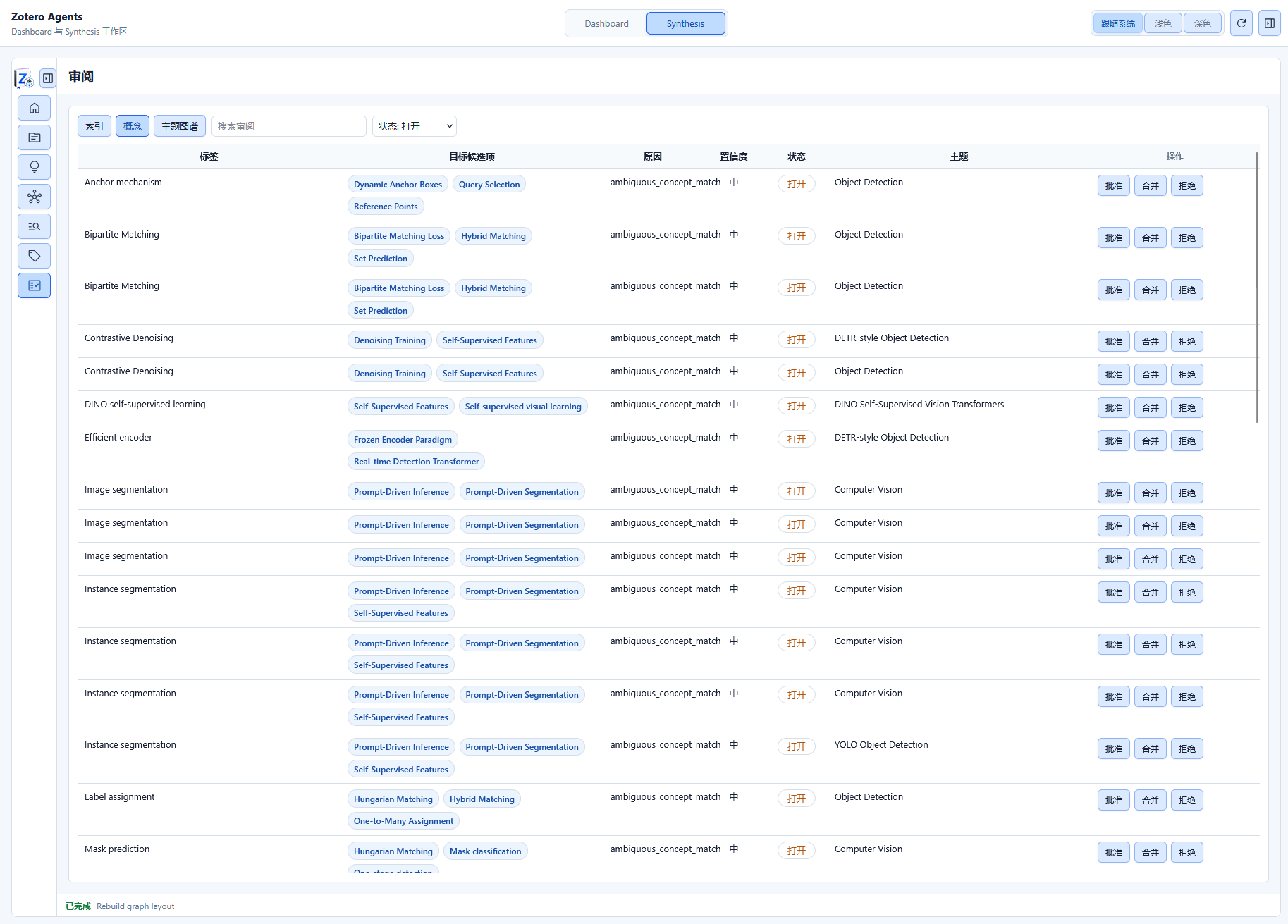
Citation Match Review
When the system automatically matches references to Zotero items, matches that cannot be determined with certainty are submitted as proposals to the review queue.
Match Proposal Status
| Status | Description |
|---|---|
| Pending | System-generated match candidate awaiting user confirmation or rejection |
| Accepted | User confirmed the binding; the reference is now linked to a Zotero item |
| Rejected | User rejected the binding |
| Reopened | A previously processed proposal reopened for review |
Available Actions
- Accept: Confirm the citation-to-item binding relationship
- Reject: Decline the match proposal
- Batch Operations: Select multiple proposals to accept or reject in bulk
Match Confidence
See Index & Citation Graph for confidence level descriptions. Deterministic and high-confidence matches are usually processed automatically; medium and lower confidence matches enter the review queue.
Filtering & Sorting
You can filter the proposal list by:
- Match status (pending / accepted / rejected)
- Match strategy (DOI / title / author, etc.)
- Confidence level
- Sort by time or relevance
Concept Review
Automatic expansion of the concept knowledge base may produce concept match suggestions with low confidence, requiring user review and confirmation.
Review Targets
- New Concept Suggestions: New concept candidates automatically extracted from literature
- Sense Confirmation: Confirming when a new meaning (sense) is added to an existing concept
- Alias Suggestions: Confirming when an alternative name for the same concept is detected
How to Operate
Each suggestion displays the concept name, extraction source, confidence level, and supporting evidence. You can:
- Accept: Confirm the suggestion and write it to the concept KB
- Reject: Dismiss the suggestion
- View Context: See where the concept appears in the literature
Topic Graph Review
When the system detects potential relationships between topics, it generates relationship proposals for review.
Relationship Types
| Relationship | Description |
|---|---|
broader_than | A is a broader topic than B |
related_to | Two topics are related |
overlaps_with | Two topics have content overlap |
contrasts_with | Two topics contrast with each other |
Proposal Content
Each proposal displays:
- Source and Target Topic names and descriptions
- Suggested Relationship Type
- Confidence (based on semantic analysis of topic content)
- Supporting Evidence (co-covered papers, etc.)
How to Operate
- Accept: Confirm the relationship and write it to the Topic Graph
- Reject: Dismiss the relationship suggestion
- Reopen: Reopen a previously processed proposal for review
Next Steps
- Concept Knowledge Base — Manage concepts, senses, aliases
- Topics — Manage topic syntheses