Literature Analysis
Purpose
Generate literature digests, reference lists, and citation analysis reports from PDF or Markdown attachments.
Literature Analysis is the cornerstone of Agentic literature management — every ingested paper should be run through this workflow. It establishes a structured knowledge foundation for each paper, and all advanced features such as citation graphs and Topic Synthesis depend on the outputs of this workflow.
This workflow calls the literature-analysis skill on the Skill-Runner backend to perform structured analysis of academic papers.
- Extract Markdown first: Before running Literature Analysis, it is recommended to use MinerU to convert PDF to Markdown first. The original Markdown significantly improves AI understanding of paper structure.
- Initialize the tag vocabulary first: It is recommended to run Tag Bootstrapper to initialize a controlled tag vocabulary before your first Literature Analysis. This allows the automatic tag regulation in the analysis pipeline to achieve maximum effectiveness.
Use Cases
- Quickly obtain a summary of key content when reading a new paper
- Collect the complete reference list of a paper
- Analyze citation context and citation intent of a paper
Input Constraints
| Constraint Type | Description |
|---|---|
| Input Unit | Attachment |
| Accepted Types | text/markdown, text/x-markdown, text/plain, application/pdf |
| Per-parent limit | At most 1 attachment |
Trigger Methods
- Directly select a PDF or Markdown attachment
- Select the parent item, and the plugin will automatically expand its first qualifying attachment
Execution Flow
1. Build Request
   └── Upload source file to Skill-Runner
       └── Invoke skill_id: "literature-analysis"

2. Skill-Runner Processing
   └── Parse document content
       └── Generate three outputs:
           ├── digest.md          (Literature Digest)
           ├── references.json    (Reference List)
           └── citation_analysis.json (Citation Analysis)

3. Return Results
   └── Download bundle (zip)
       └── Contains result.json and artifacts/
Execution Mode
Fully automatic, no user intervention required. Simply submit and wait for completion.
Execution Configuration
execution.mode:auto— Automatic execution, no user intervention requiredskillrunner_mode:auto— Non-interactive mode
Estimated Duration
| Scenario | Estimated Time |
|---|---|
| Standard reference format | 6-10 minutes |
| Non-standard reference format | 12-18 minutes |
Duration mainly depends on whether the reference format is standard — the more standardized the format (e.g., citations from ScienceDirect, IEEE, and other mainstream journals), the faster AI parsing will be. Paper length has a relatively minor impact.
Outputs
After execution completes, 3 Zotero Notes are created under the parent item:
1. Digest Note
- Type:
data-zs-note-kind="digest" - Content: HTML-rendered literature digest covering research background, methods, results, and conclusions
- Update strategy: Each execution updates the note with the same name (overwrites if it already exists)
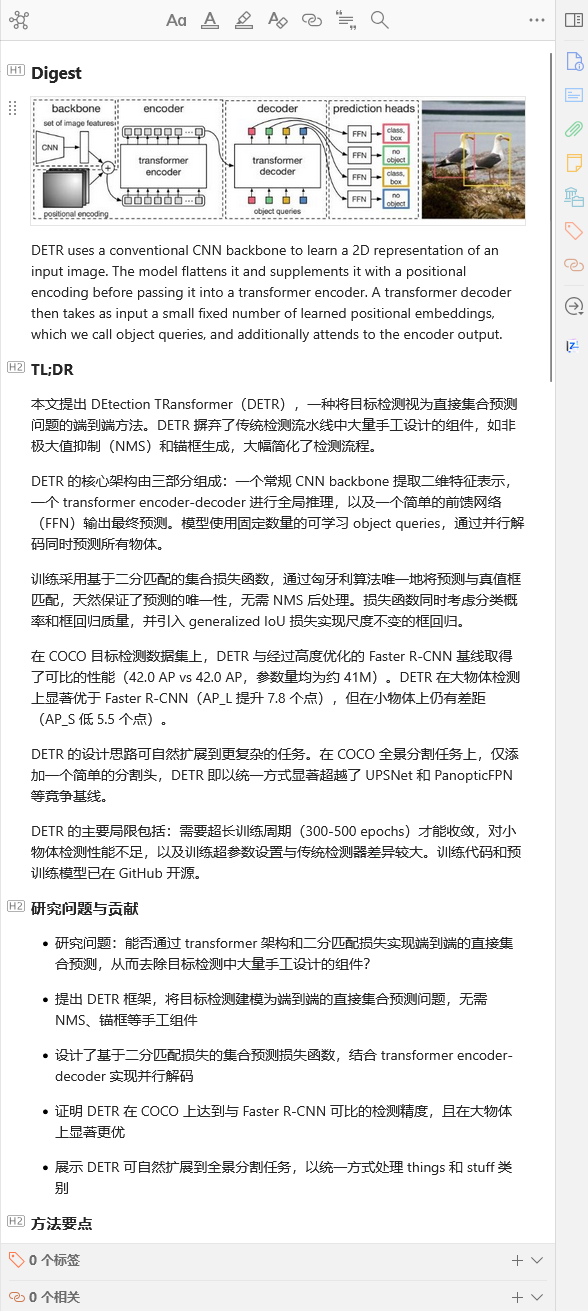
The content displayed in the note is rendered from backend data. Directly modifying the note content in Zotero will not change the actual backend data. To edit analysis results, use the Export/Import Notes feature to export, modify, and then re-import.
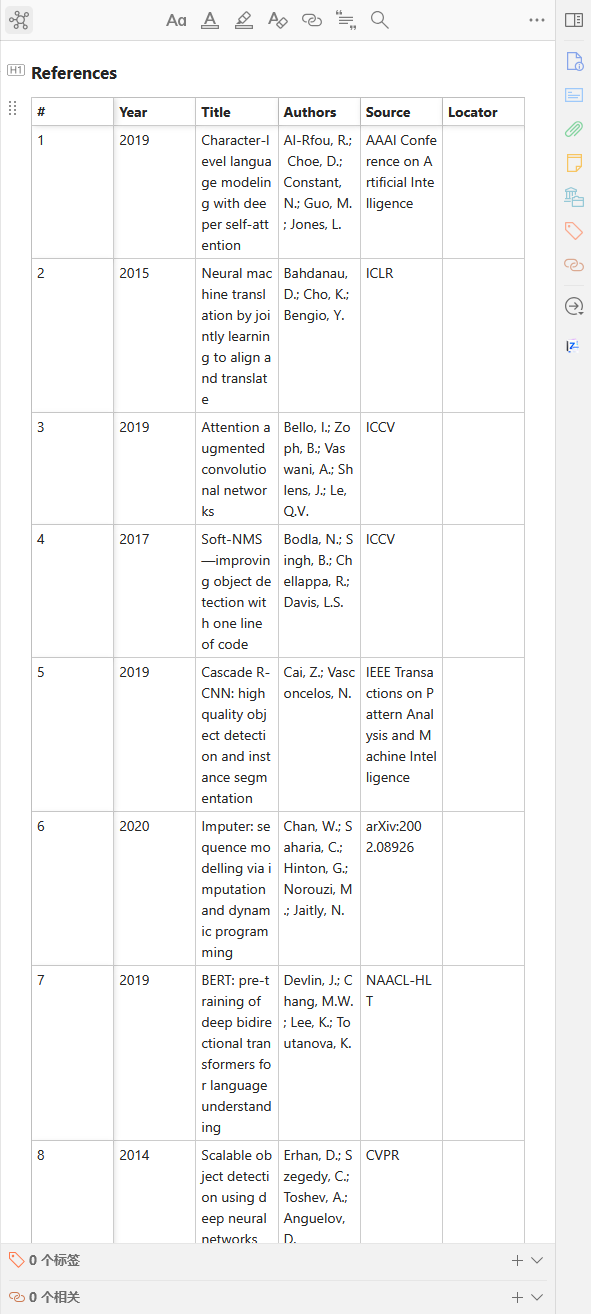
2. References Note
- Type:
data-zs-note-kind="references" - Content: References HTML table (#, Year, Title, Authors, Source, Locator)
- Update strategy: Each execution updates the note with the same name
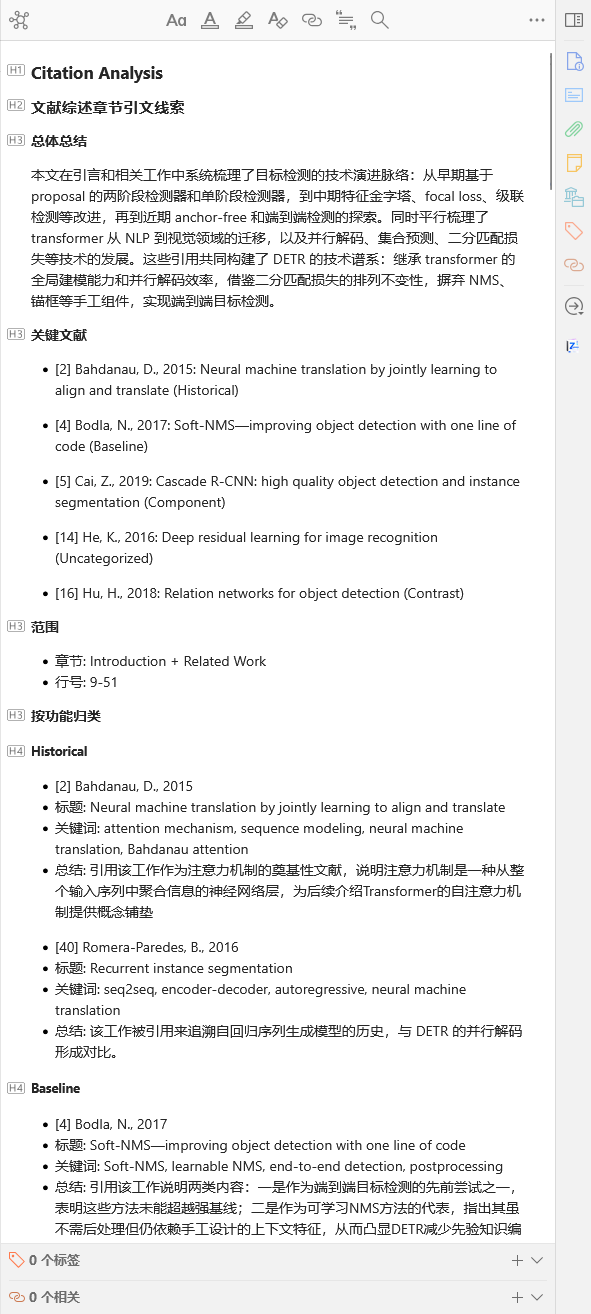
3. Citation Analysis Note
- Type:
data-zs-note-kind="citation-analysis" - Content: Citation analysis report including citation context and citation intent classification
- Update strategy: Each execution updates the note with the same name
Parameters
| Parameter | Type | Description | Default |
|---|---|---|---|
language | string | Output language | zh-CN |
auto_tag_regulator | boolean | Whether to automatically cascade Tag Regulator after literature analysis. Recommended to enable | true |
auto_tag_infer_tag | boolean | When cascading tag regulation, whether to let AI infer new tags (only visible when auto_tag_regulator is enabled) | true |
language available values: zh-CN, en-US, ja-JP, ko-KR, de-DE, fr-FR, es-ES, ru-RU. Custom input is also supported.
Model Recommendation
🔴 Models with strong text comprehension are recommended. If the backend supports subagent delegation (e.g., Claude Code, Codex), digest, references, and citation analysis can be processed in parallel, significantly reducing total time.
Dependencies
- Backend: Skill-Runner service
- Backend Configuration: Configure a Skill-Runner type backend in Backend Manager
- Skill: The
literature-analysisskill must be deployed on the Skill-Runner
Related Workflows
- Tag Bootstrapper — Initialize a controlled tag vocabulary before your first analysis
- MinerU — Convert PDF to Markdown first for best analysis quality
- Interactive Literature Explainer — Dialogue with AI for deep literature understanding
- Export/Import Notes — Export analysis artifacts for editing, or migrate between Zotero instances
- Tag Regulator — Run tag regulation independently (Literature Analysis can cascade automatically)