Built-in Markdown Reader
Overview
The plugin includes a lightweight Markdown reader. When you double-click any .md attachment in Zotero, it automatically opens in the built-in reader, eliminating the need to switch to an external application.
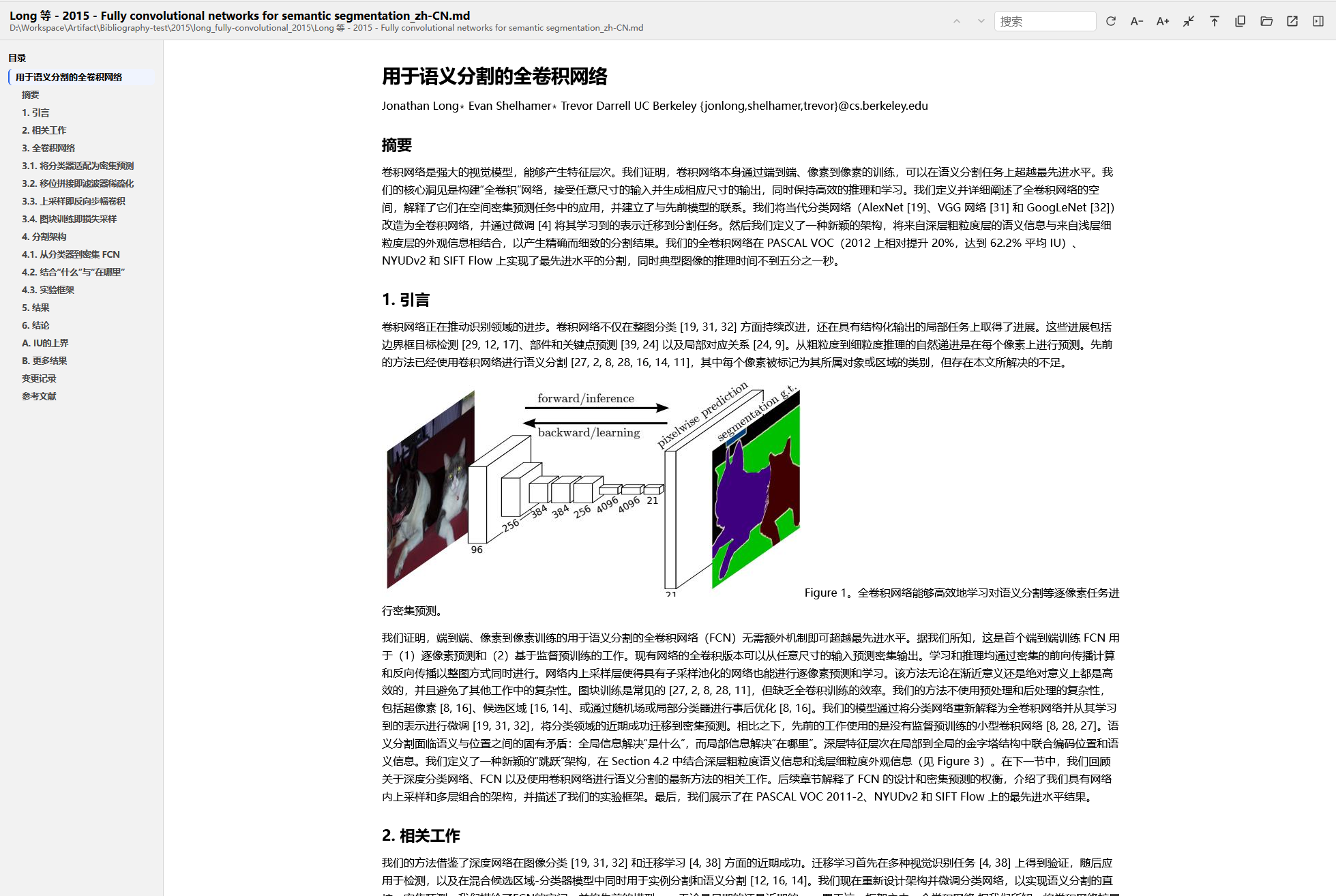
The reader is enabled by default. To disable it (reverting to the system default opener), uncheck the option in Preferences → General.
Features
Outline Navigation
The left sidebar automatically parses heading levels (h1–h4) from the document. Click any heading to quickly jump to the corresponding section.
Full-text Search
The search box in the toolbar supports keyword search with hit highlighting.
Markdown Rendering
- Code Blocks: highlight.js syntax highlighting for major programming languages
- Math Formulas: KaTeX rendering for LaTeX formulas, supporting both inline and block-level display
- Tables, Lists, Blockquotes: Full support for standard Markdown syntax
- Images: Relative-path images are loaded automatically
Font Size & Width
- Font Size Adjustment: Adjustable from 12px to 24px; click the +/- buttons in the toolbar to adjust incrementally
- Reading Width: Supports narrow (860px) and wide (1160px) modes for different screen sizes
Toolbar Actions
| Button | Function |
|---|---|
| Search Box | Full-text keyword search |
| Refresh | Re-read the file and re-render |
| Copy Markdown | Copy the raw Markdown content to the clipboard |
| Copy Path | Copy the file path to the clipboard |
| Font Size - | Decrease font size |
| Font Size + | Increase font size |
| Width Toggle | Switch between narrow/wide reading mode |
| Back to Top | Smooth scroll to the top of the document |
| Open Externally | Open the file with the system default application |
Automatic Theming
The reader automatically adapts to Zotero's light/dark theme without manual switching.
Preferences
In Zotero → Settings → Zotero Agents → General:
- Enable Built-in Markdown Reader: When checked, double-clicking
.mdattachments opens them in the built-in reader; when unchecked, the system default opener is restored.
Technical Notes
- Rendering engine:
markdown-it+ KaTeX + highlight.js - Security: Built-in HTML sanitization strips unsafe tags and event handlers such as script/style/iframe
- Supported file types:
.md,.markdown(detected by both file extension and MIME type)